
Your Emly, ready in minutes
Choose your phone, then follow the steps: connect the alarm, enable SOS, add your emergency contacts.
Connect your Emly via Bluetooth
Turn on the alarm and enable Bluetooth
Press and hold the side button on your Emly until you hear a beep: it is on and ready to pair.
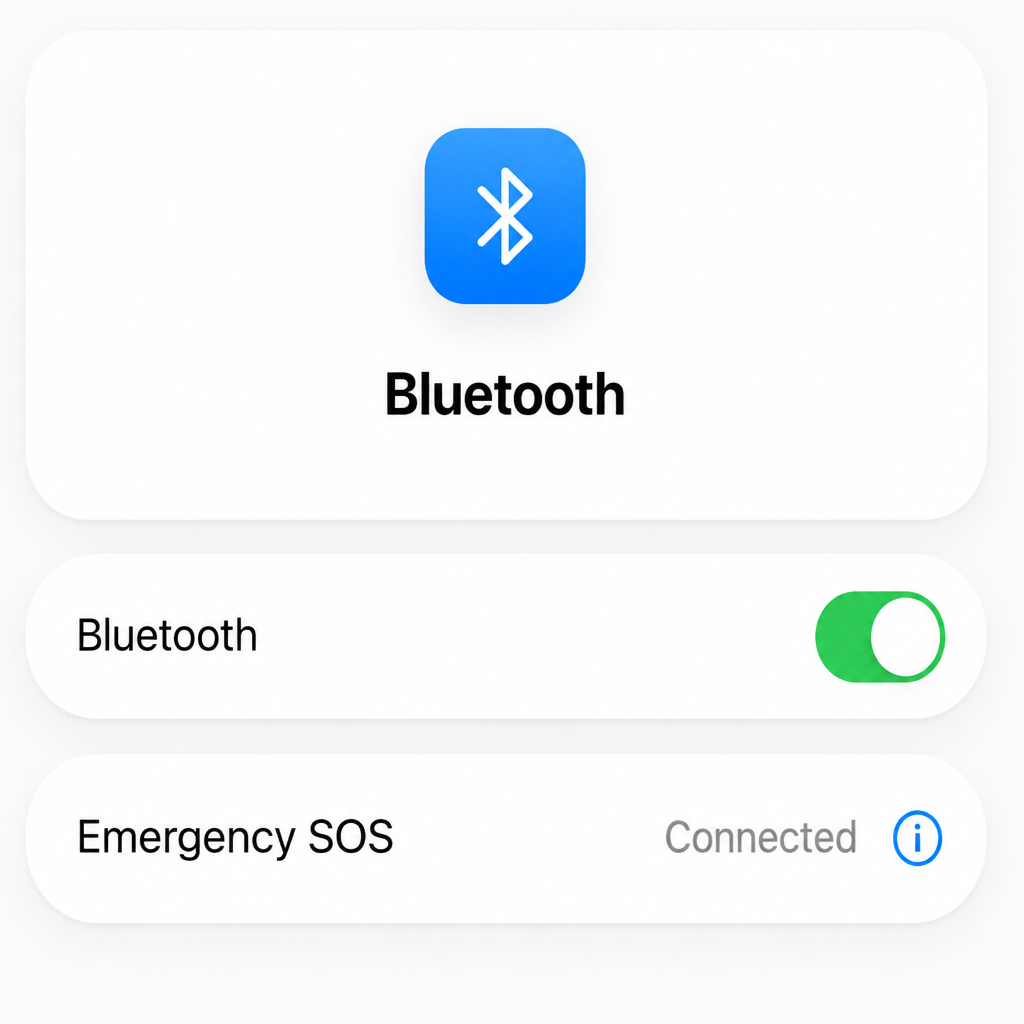
On your iPhone, open Settings then Bluetooth and check that the switch is on (green).
Pair the alarm with your phone
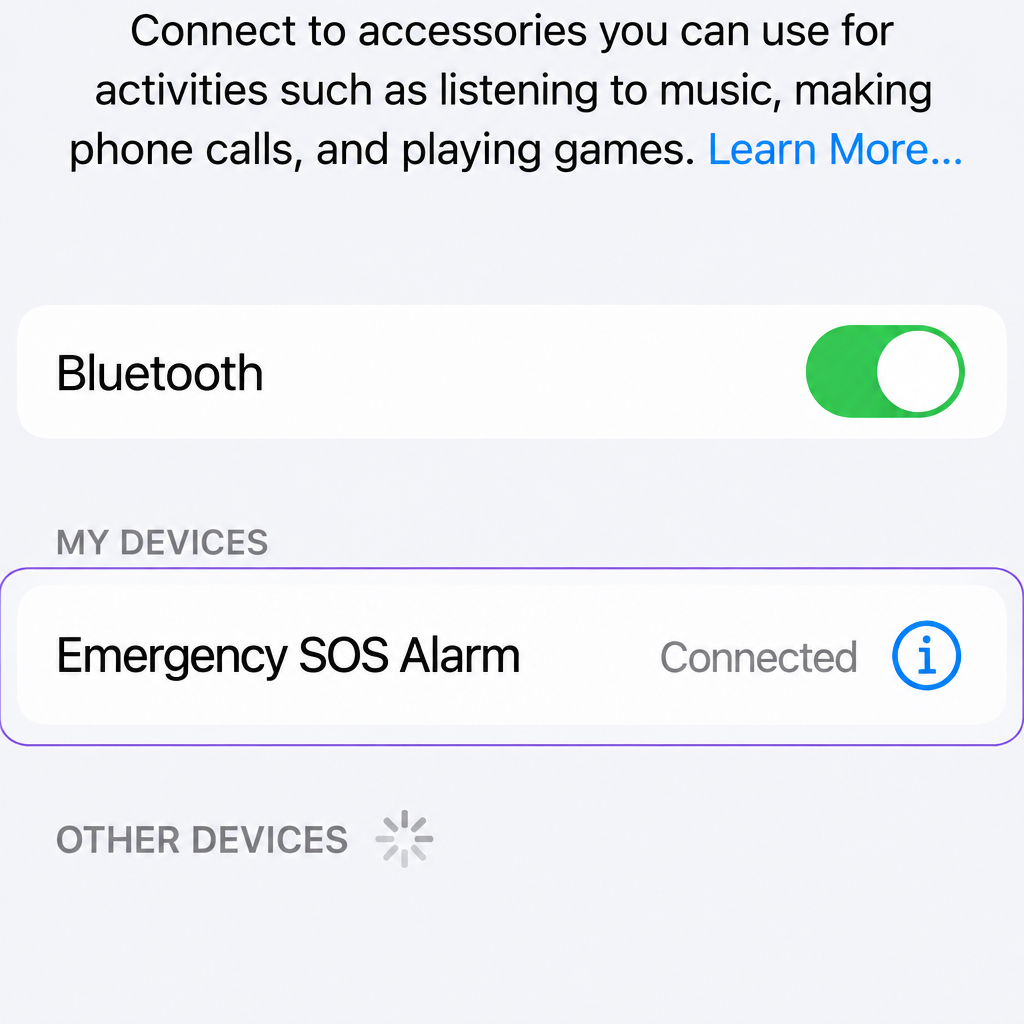
In the list of Bluetooth devices, find SOS Personal Alarm and tap its name.
When the status changes to Connected, your Emly is paired with your iPhone.
Enable your iPhone's SOS feature
Open the emergency call settings
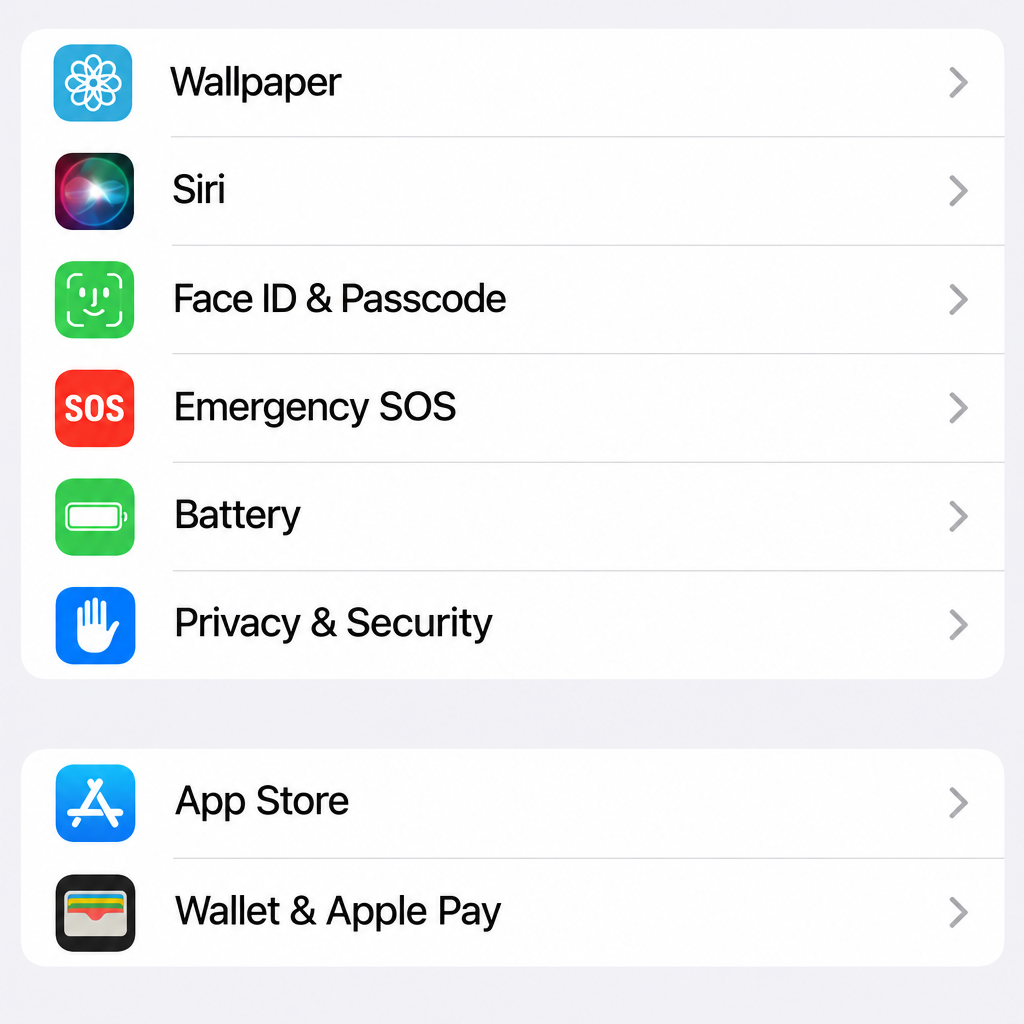
Go back to Settings, scroll down and tap Emergency SOS (depending on your iOS version: "SOS").
Choose how to place the call
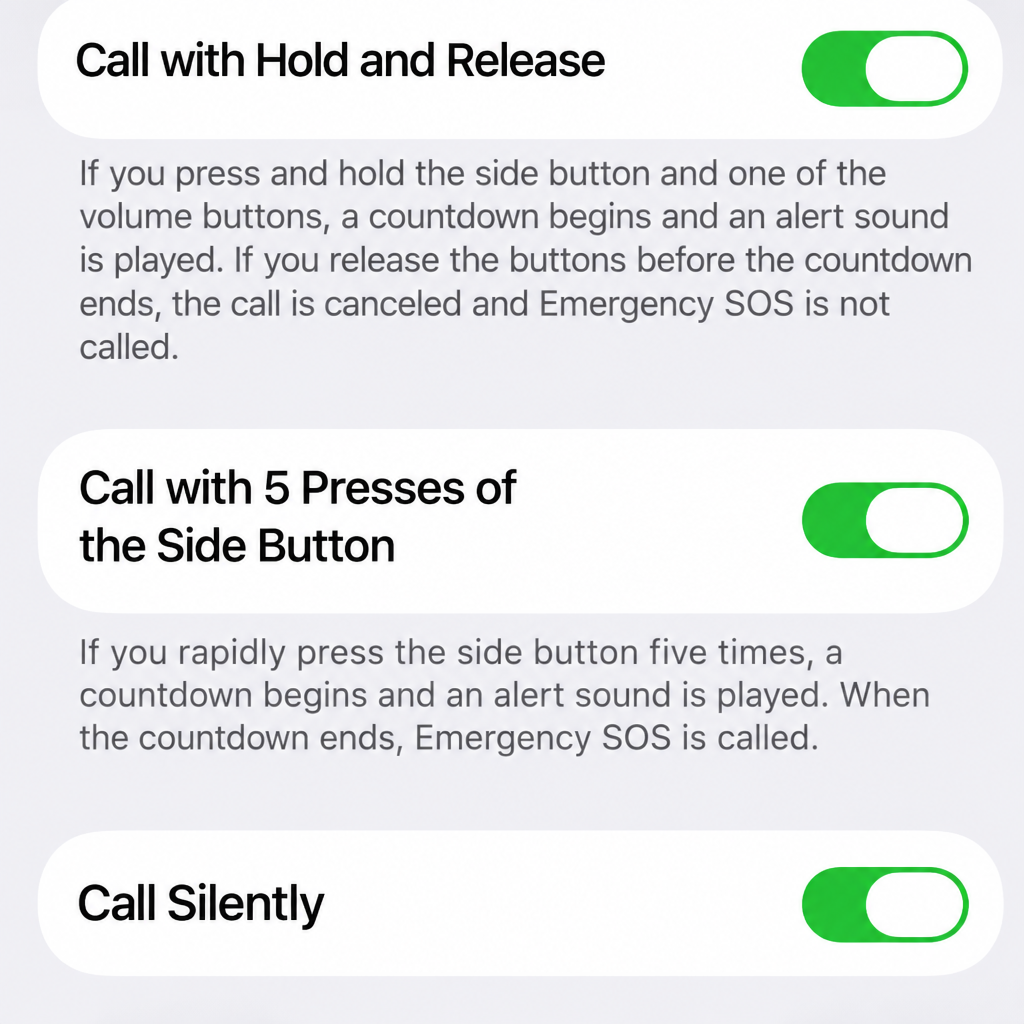
Turn on the options that suit you:
- Call with Hold and Release
- Call with 5 Presses
- Call Silently if you want the call to go out without any sound
Add your emergency contacts
Open the Health app
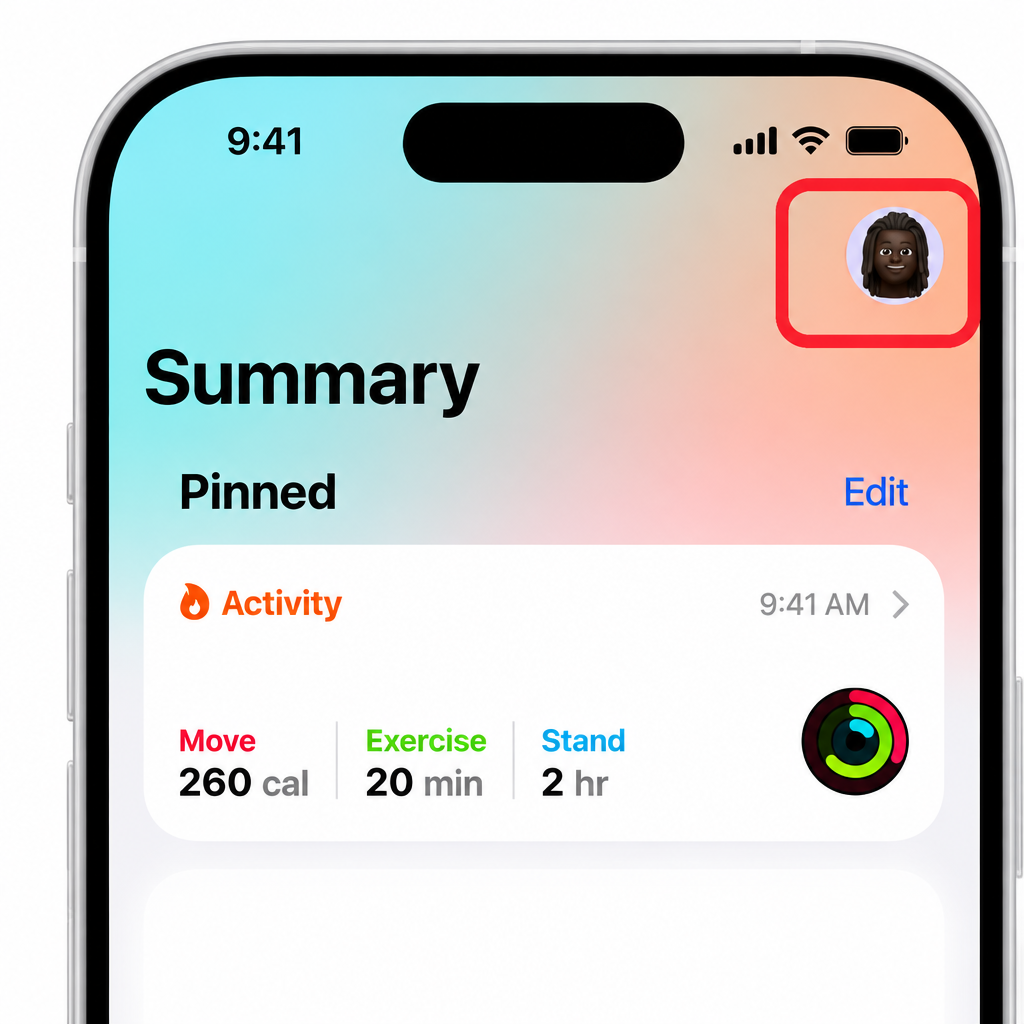
Open the Health app on your iPhone, then tap your profile icon at the top right of the Summary screen.

Open your Medical ID
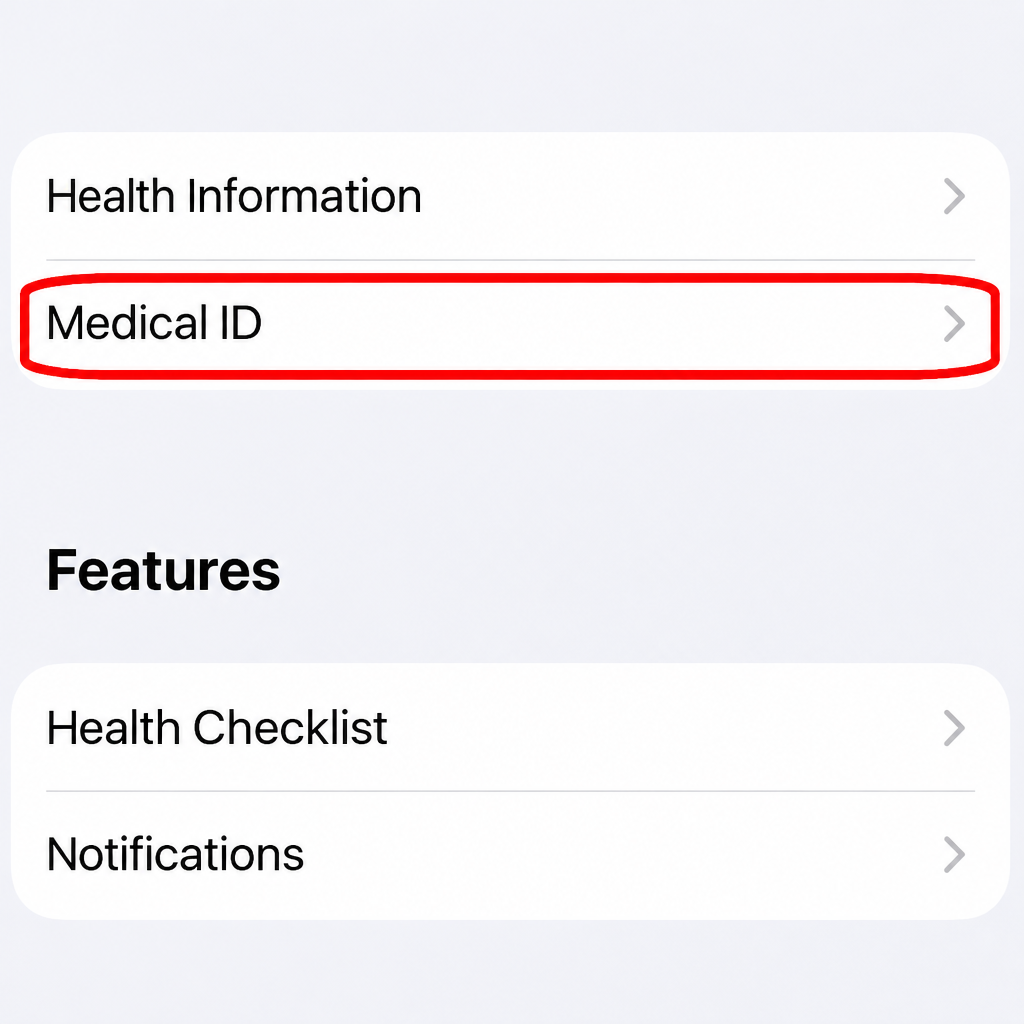
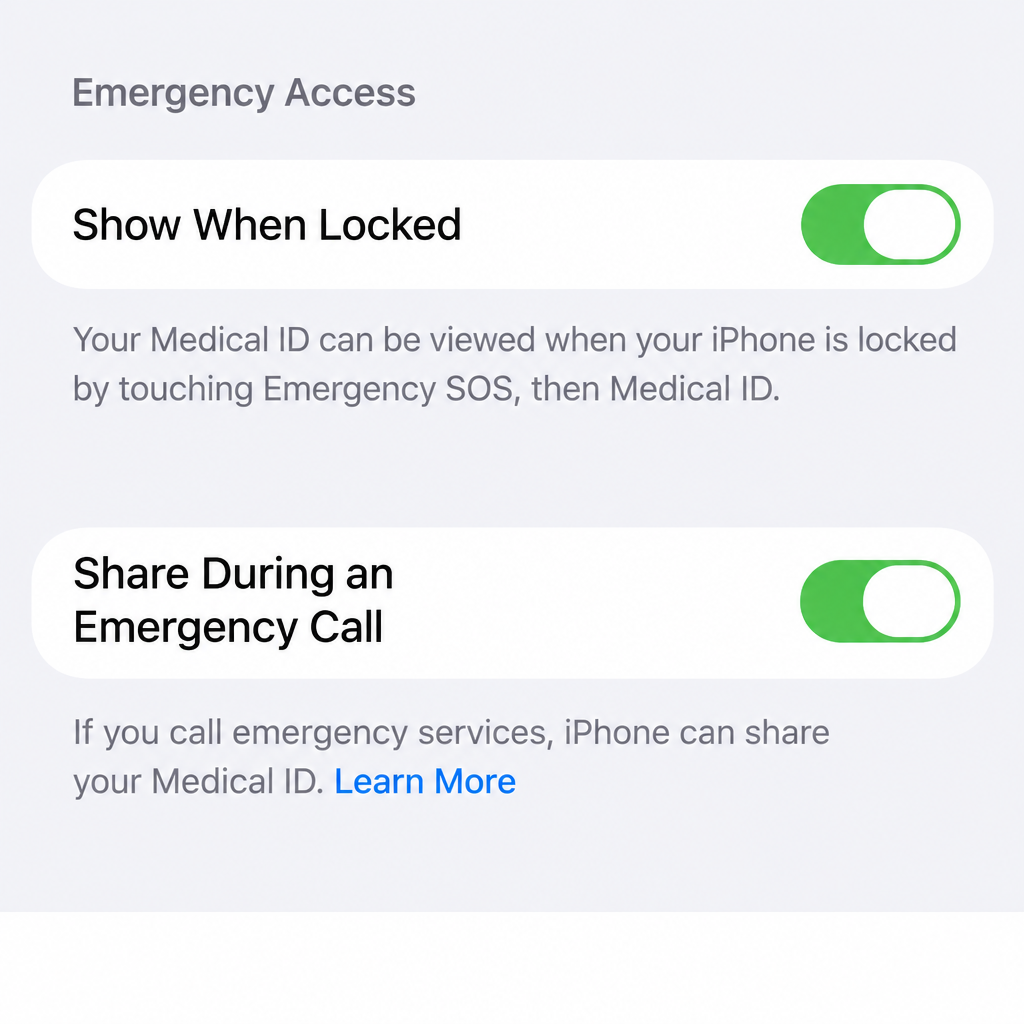
Tap Medical ID, then turn on Show When Locked and Share During Emergency Call: this way your loved ones and the emergency services can be alerted.
Add your emergency contacts
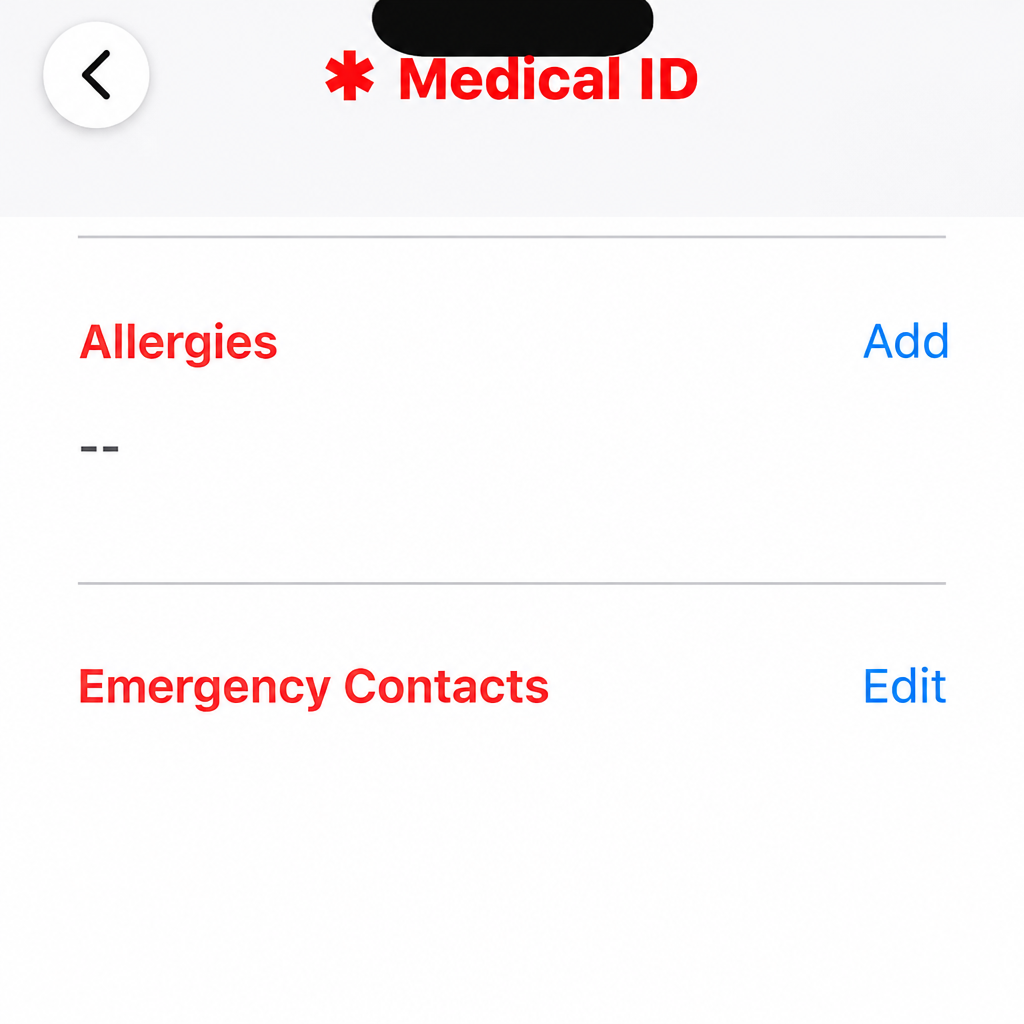
In the Medical ID, tap Edit, then add the people to notify under Emergency Contacts.
Confirm with Done: that's it, your Emly is ready!
Connect your Emly via Bluetooth
Turn on your phone's Bluetooth
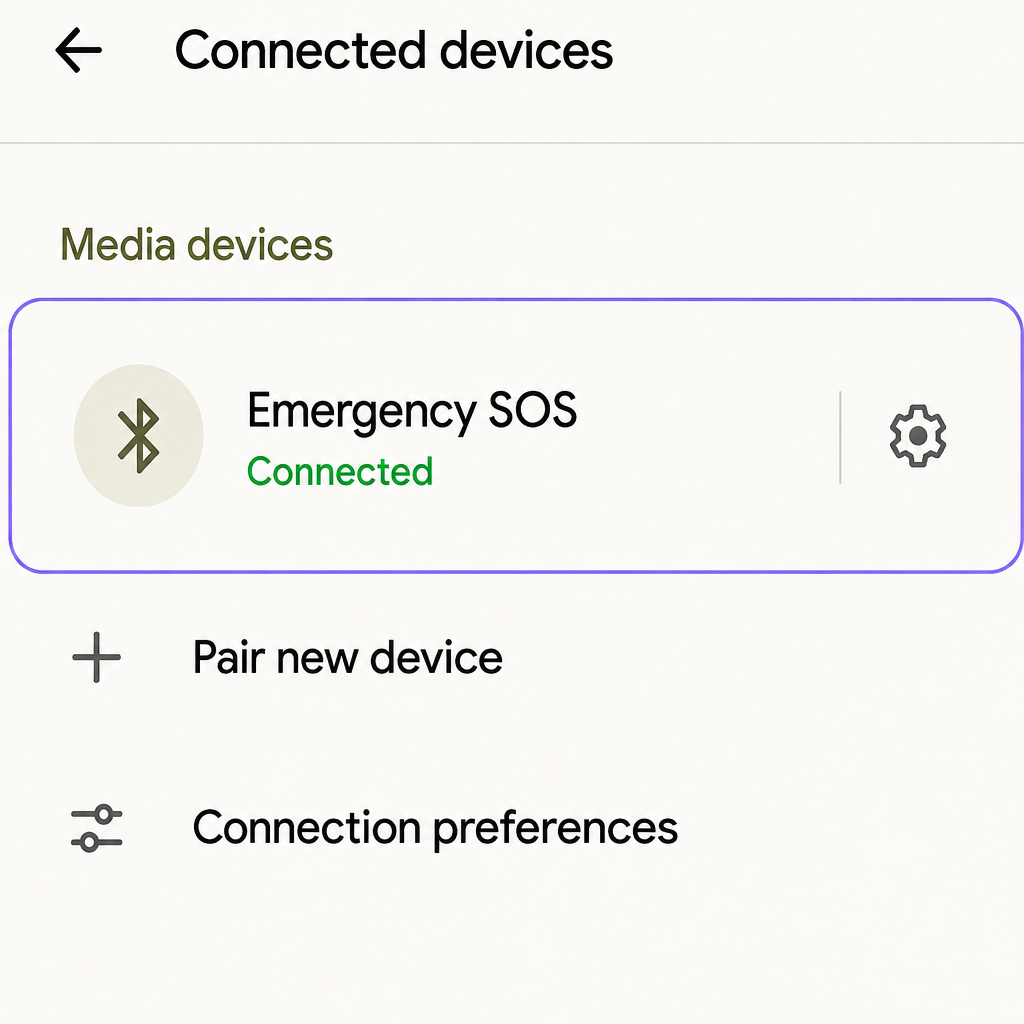
On your Android phone, open Settings then Bluetooth and check that it is on.

Turn on your Emly and pair it
Press and hold the side button on your Emly until you hear a beep.
It then appears as SOS Personal Alarm: tap it to pair. When the status changes to Connected, you're all set.
Enable your phone's SOS feature
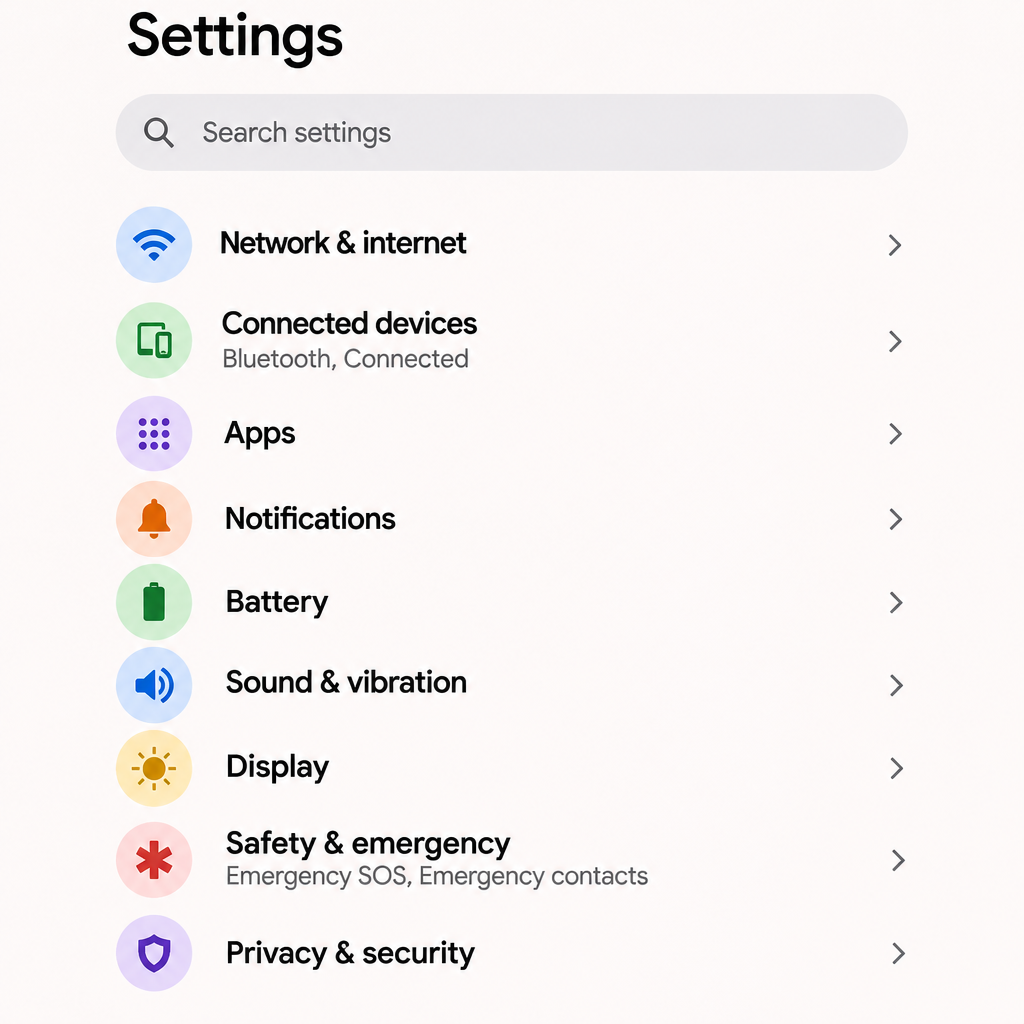
Open Safety & emergency
In Settings, open Safety & emergency.
Open Emergency SOS and enable the settings
Tap Emergency SOS, then turn on all the settings offered.

Add your emergency contacts
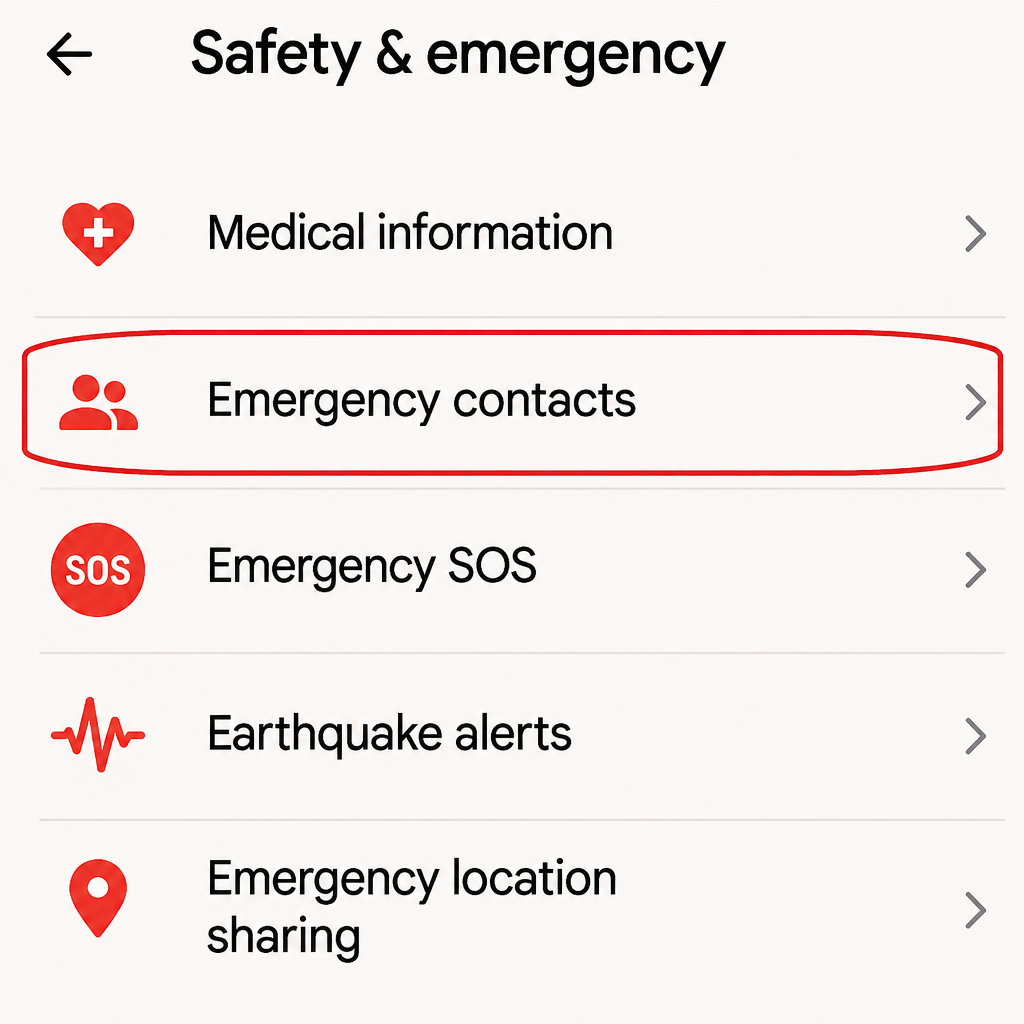
Add the people to notify
Still in Safety & emergency, open Emergency contacts and add the people to notify.
That's it, your Emly is ready!
Good to know
- The call, text message and location depend on your phone's SOS setting and the available network.
- The siren and flash work even without a connected phone.
- Silent alarm mode available: call and text without any noise.
- You can cancel within 6 seconds after triggering.
Frequently asked questions
My phone can't find the alarm, what should I do?
Recharge Emly with the USB-C cable, hold the side button until the beep, check that Bluetooth is on, then search again in your Bluetooth settings.
Do I have to set it up again each time I use it?
No. Once paired, Emly reconnects to your phone automatically when Bluetooth is on.
Can I use Emly with an iPhone or an Android?
Yes, both are compatible. Simply choose your phone with the selector at the top of this page to see the steps that apply to you.
Don't have an Emly yet?
Discover Emly